
The Wyn Tour
Welcome. This is the fast, hands-on path from "never seen Wyn" to "shipping a concurrent program." If you write Python, you already read Wyn - it has the same low-ceremony feel: bare assignment, string interpolation, for k, v in map. The difference is what happens next: Wyn compiles straight to C, links no VM and no garbage collector, and drops a ~50KB native binary that starts instantly.
Everything below is a real program. Paste any block into a .wyn file and wyn run it - every snippet on this page was compiled and run against the current compiler (v1.22). Let's go.
0. Install & Hello, World
Install Wyn (one line - see Installation for every platform):
curl -fsSL https://wynlang.com/install.sh | shConfirm your toolchain is healthy:
wyn doctor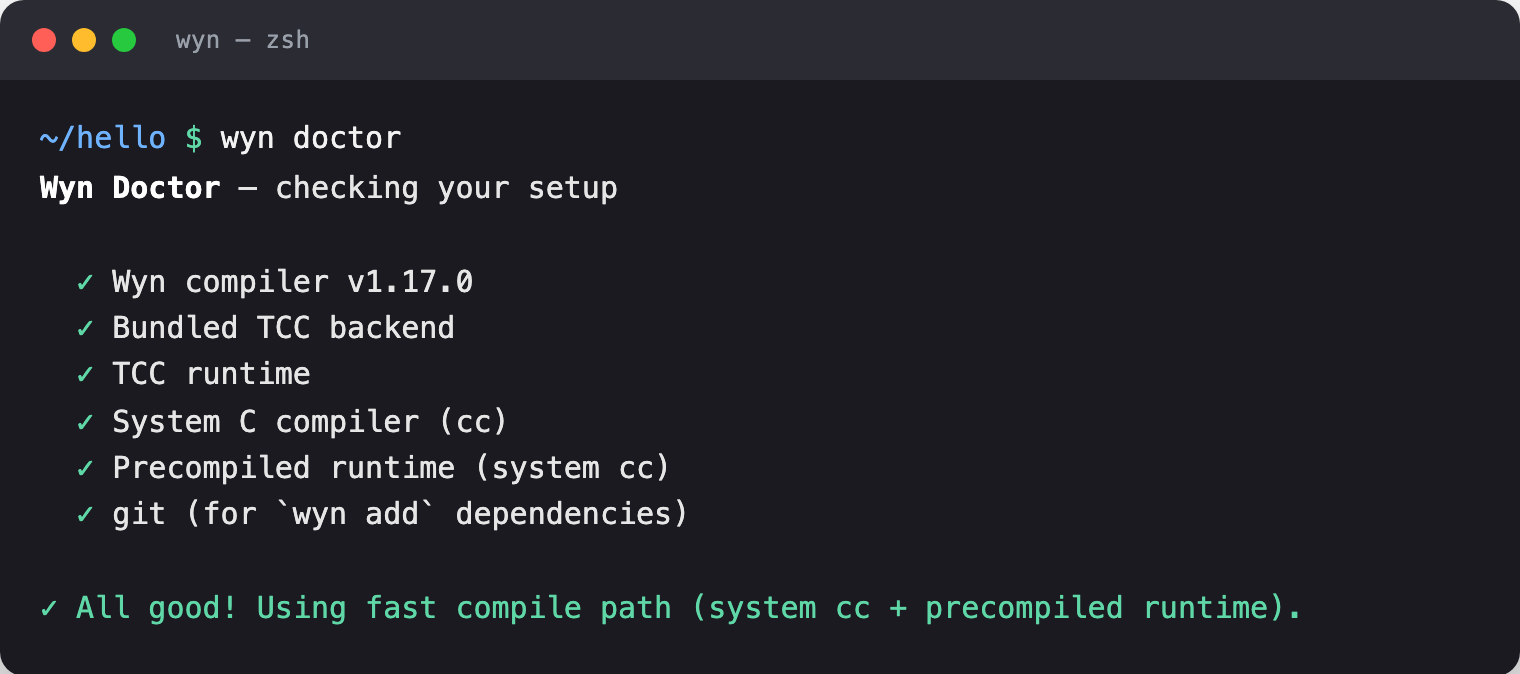
  ✓ TCC runtime
  ✓ System C compiler (cc)
  ✓ Precompiled runtime (system cc)
  ✓ git (for `wyn add` dependencies)

✓ All good! Using fast compile path (system cc + precompiled runtime).
Now the traditional greeting. Put this in hello.wyn:
fn main() {
    print("Hello, Wyn!")
}wyn run hello.wyn
Hello, Wyn!wyn run compiles with a fast in-memory backend - great for iteration. When you're ready to ship, wyn build hello.wyn produces a standalone native binary. More on that at the end.
1. Variables & types
Assignment is bare - no keyword needed, types are inferred. Reach for var when you want to be explicit that something is mutable, and const for compile-time constants. Strings interpolate with ${...}.
fn main() {
    count = 10          // mutable, type inferred as int
    const MAX = 100         // constant
    count = count + 1

    name = "Wyn"        // string
    ratio = 3.14        // float
    ok = true           // bool

    print("count=${count}, max=${MAX}")
    print("Language: ${name}, len ${name.len()}, up ${name.upper()}")
    print("ratio=${ratio}, ok=${ok}")
}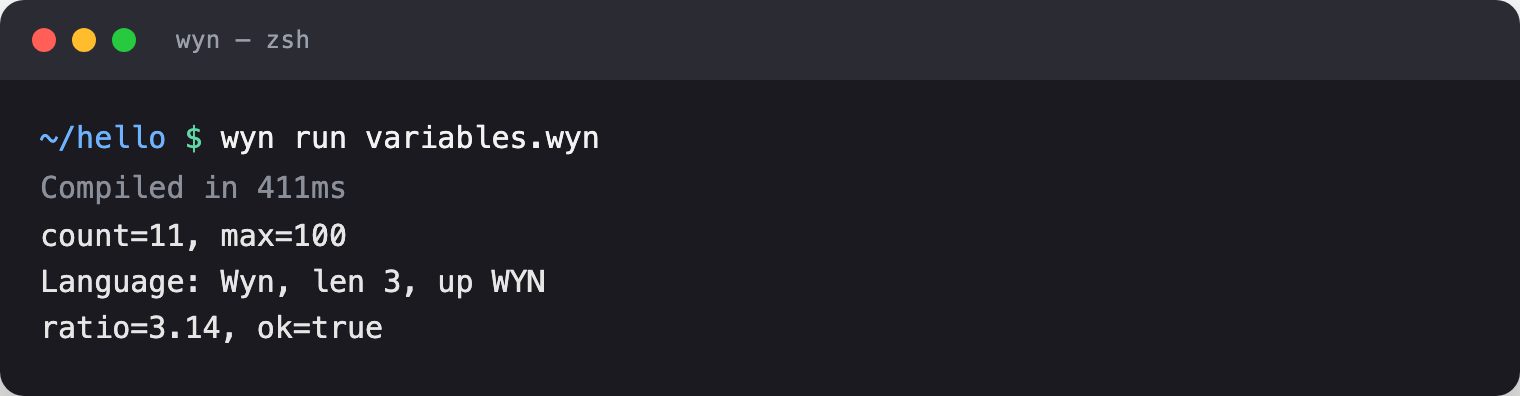
count=11, max=100
Language: Wyn, len 3, up WYN
ratio=3.14, ok=true
The core scalar types are int (64-bit), float (double), bool, and string. Wyn is statically typed, but inference means you rarely write a type unless you want the documentation.
2. Functions
The full form is fn name(params) -> ReturnType { ... }. When a function is just one expression, use the arrow body -> T => expr. Parameters can have defaults.
// Block body.
fn add(a: int, b: int) -> int { return a + b }

// Expression body - no braces, no `return`.
fn square(n: int) -> int => n * n

// Default argument.
fn greet(who: string = "world") -> string { return "hello, ${who}" }

fn main() {
    print(add(2, 3).to_string())        // 5
    print(square(6).to_string())        // 36
    print(greet())                      // hello, world
    print(greet("Wyn devs"))            // hello, Wyn devs
}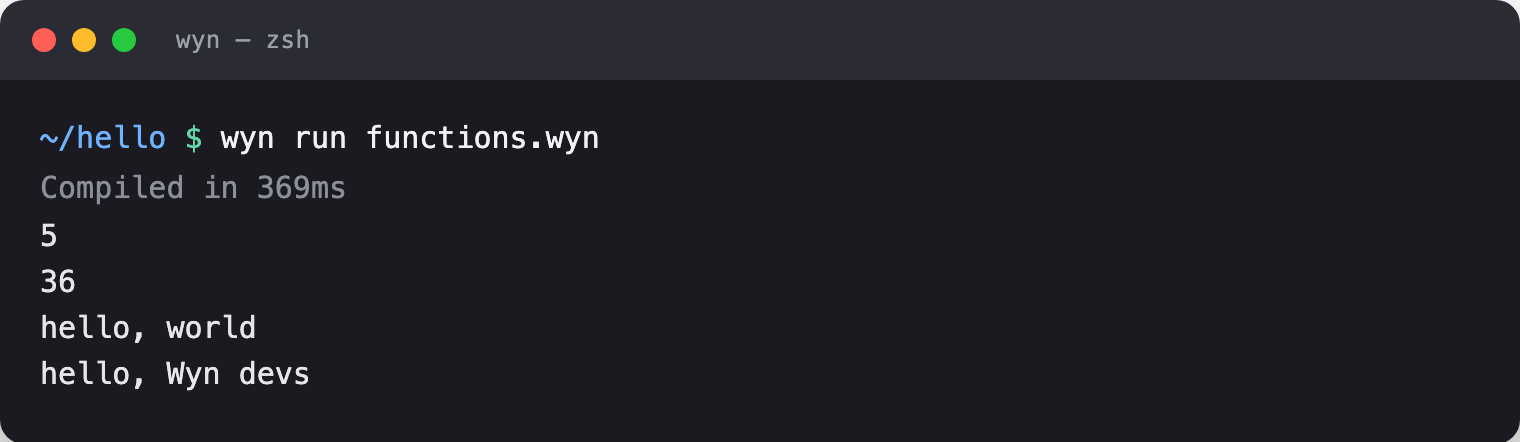
5
36
hello, world
hello, Wyn devs
3. Control flow
if/else, for … in over ranges, and while. Ranges come in exclusive (0..n) and inclusive (1..=n) flavors, and range(a, b, step) gives you a stride. Logical operators are words - and, or, not - not symbols.
fn main() {
    count = 11

    if count > 10 {
        print("big")
    } else {
        print("small")
    }

    for i in 0..3 { print("i=${i}") }          // 0, 1, 2

    total = 0
    for i in 1..=5 { total = total + i }        // inclusive: 1+2+3+4+5
    print("sum=${total}")                       // 15

    // while, with break and continue
    var i = 0
    while true {
        if i >= 5 { break }
        if i == 2 { i = i + 1; continue }
        print(i, end: "")
        i = i + 1
    }
    print("")

    // Words, not symbols.
    flag = true and not false
    either = false or true
    print("flag=${flag}, either=${either}")

    // strided range
    for n in range(0, 10, 2) { print(n, end: "") }   // 02468
    print("")
}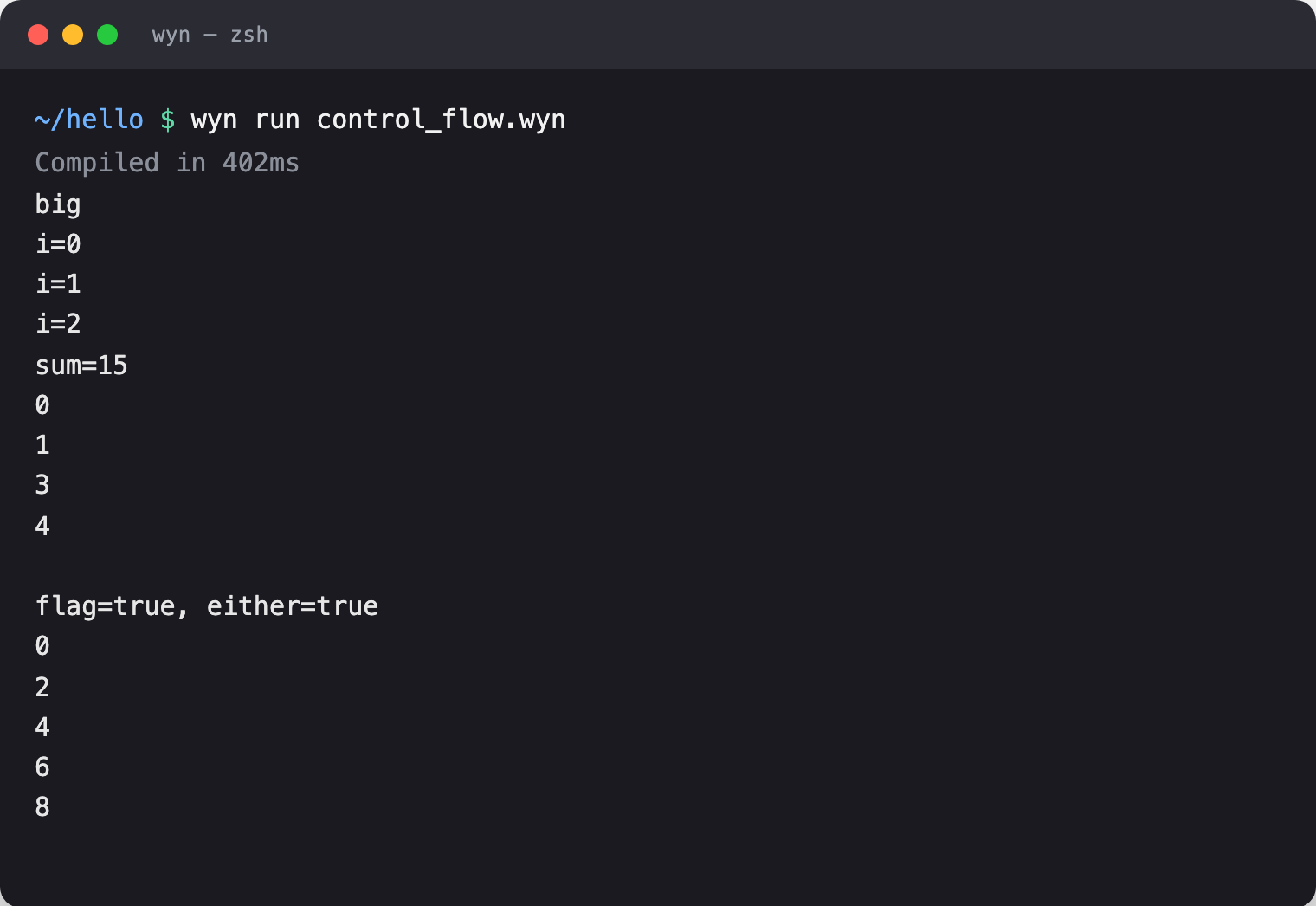
big
i=0
i=1
i=2
sum=15
0134
flag=1, either=1
02468
4. Collections
Arrays, maps, and sets - with slicing, negative indexing, and the ergonomic for k, v in map. zip() walks two collections in lockstep.
fn main() {
    xs = [1, 2, 3, 4, 5]
    print(xs[0])       // 1
    print(xs[-1])      // 5  (negative index counts from the end)
    print(xs[1:3])     // [2, 3]  (slice)
    xs.push(6)
    print("len=${xs.len()}")

    // HashMap literal
    m = {"a": 1, "b": 2}
    m["c"] = 3
    for k, v in m { print("${k} -> ${v}") }

    // HashSet of strings - {: ... }
    seen = {: "red", "green", "blue" }
    print("has red? ${seen.contains("red")}")

    // zip two arrays into pairs
    names = ["ada", "bob"]
    ages  = [36, 42]
    for who, age in zip(names, ages) { print("${who} is ${age}") }
}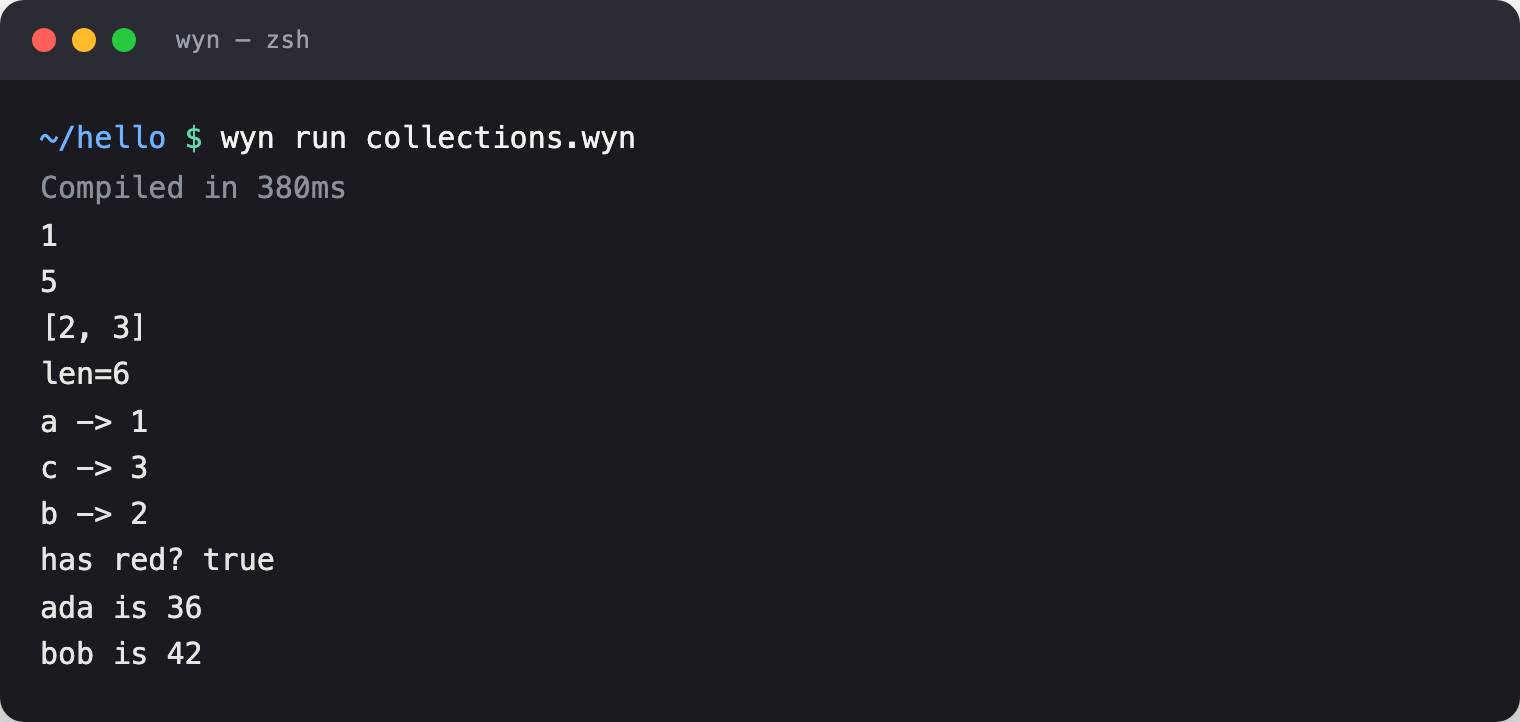
1
5
[2, 3]
len=6
a -> 1
c -> 3
b -> 2
has red? true
ada is 36
bob is 42
TIP
Arrays and maps print with print(xs), which formats them for you ([2, 3]). Interpolating a whole collection into a string with "${xs}" isn't supported - print the collection directly, or interpolate its elements.
5. Structs & methods
Structs group data; methods live in the body (or an impl block) and take self. Construct with Name { field: value }. Like everything in Wyn, struct instances are objects-there's no separate "class" concept, structs are Wyn's objects.
struct Point {
    x: int,
    y: int
    fn dist2(self) -> int { return self.x * self.x + self.y * self.y }
    fn shifted(self, dx: int, dy: int) -> Point {
        return Point { x: self.x + dx, y: self.y + dy }
    }
}

fn main() {
    p = Point { x: 3, y: 4 }
    print("dist2=${p.dist2()}")       // 25

    q = p.shifted(1, 1)
    print("${q.x},${q.y}")            // 4,5
}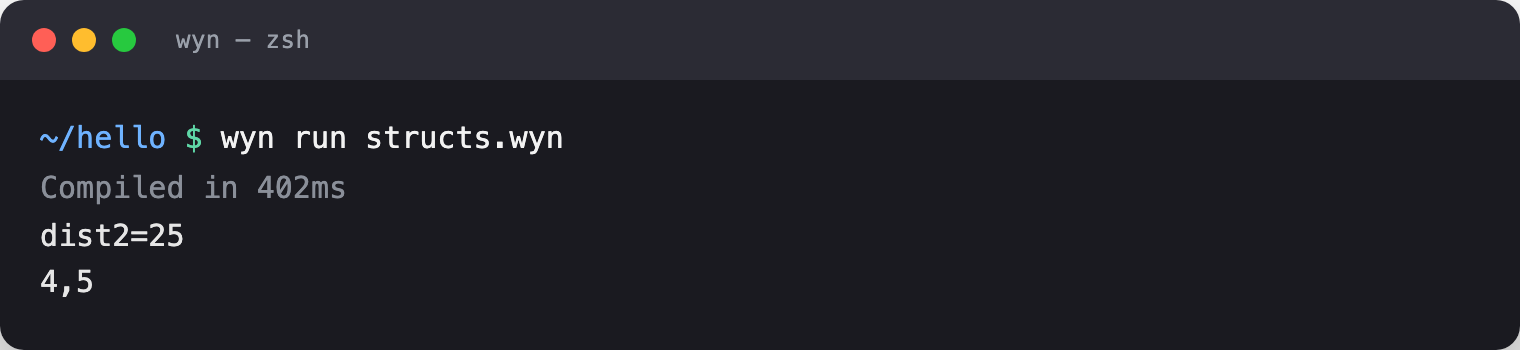
dist2=25
4,5
6. Enums & pattern matching
Enums can carry payloads, and match destructures them. Best of all, match is an expression - it produces a value you can return or assign.
enum Shape {
    Circle(int),
    Rect(int, int),
}

fn area(s: Shape) -> int {
    return match s {
        Circle(r)  => r * r * 3,
        Rect(w, h) => w * h,
    }
}

fn main() {
    print("circle area=${area(Shape.Circle(2))}")   // 12
    print("rect area=${area(Shape.Rect(3, 5))}")     // 15
}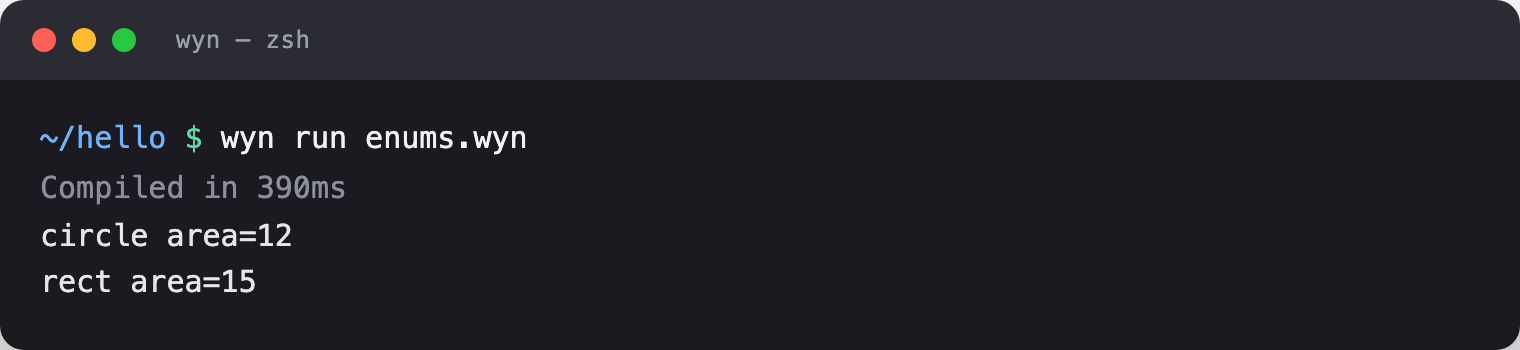
circle area=12
rect area=15
7. Error handling - Result, Option, and ?
Wyn has no exceptions and no null. Fallible functions return Result<T, E>; maybe-absent values are Option<T> (spelled T?). The ? operator propagates an error early, so the happy path stays flat.
fn safe_div(a: int, b: int) -> Result<int, string> {
    if b == 0 { return Err("division by zero") }
    return Ok(a / b)
}

fn parse_port(s: string) -> Result<int, string> {
    if s == "" { return Err("empty") }
    return Ok(8080)
}

// `?` returns early on Err - no nesting.
fn checked(s: string) -> Result<int, string> {
    p = parse_port(s)?
    return Ok(p + 1)
}

fn find(arr: [int], target: int) -> Option<int> {
    for i in 0..arr.len() {
        if arr[i] == target { return Some(i) }
    }
    return None
}

fn main() {
    match safe_div(10, 2) {
        Ok(v)  => print("ok: ${v}"),
        Err(e) => print("err: ${e}"),
    }
    match safe_div(10, 0) {
        Ok(v)  => print("ok: ${v}"),
        Err(e) => print("err: ${e}"),
    }

    // unwrap_or supplies a default
    print("${checked("x").unwrap_or(-1)}")

    match find([10, 20, 30], 20) {
        Some(idx) => print("found at ${idx}"),
        None      => print("not found"),
    }

    // `if let` binds only the Some case
    if let Some(idx) = find([1, 2, 3], 3) {
        print("if-let got ${idx}")
    }
}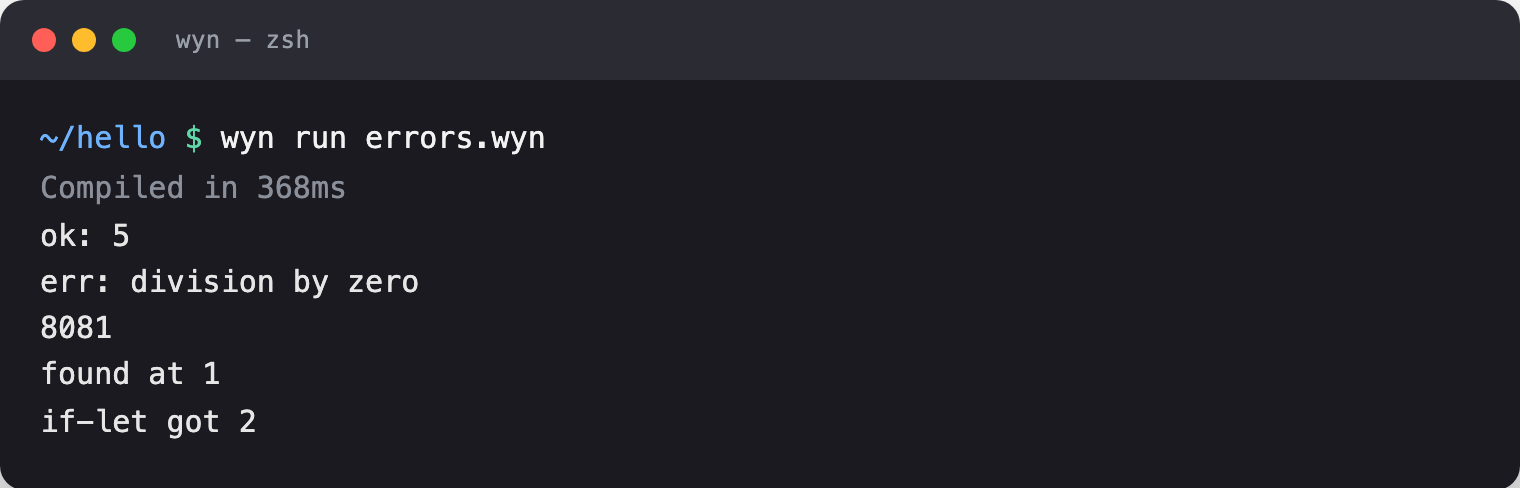
ok: 5
err: division by zero
8081
found at 1
if-let got 2
Optional chaining with ?. reaches through a maybe-absent value; the whole expression short-circuits to None if any link is missing.
struct User { name: string, age: int }

fn find_user(id: int) -> User? {
    if id == 1 { return Some(User { name: "Ada", age: 36 }) }
    return None
}

fn main() {
    name = find_user(1)?.name
    print("${name.unwrap_or("?")}")          // Ada

    missing = find_user(2)?.name
    print("${missing.unwrap_or("nobody")}")  // nobody
}
Ada
nobody8. Generics & traits
Generic functions abstract over a type parameter <T>. Traits describe shared behavior, and structs implement them with impl Trait for Struct.
fn identity<T>(x: T) -> T { return x }

trait Drawable {
    fn draw(self) -> string
}

struct Circle { r: int }
struct Rect { w: int, h: int }

impl Drawable for Circle {
    fn draw(self) -> string { return "circle(${self.r})" }
}
impl Drawable for Rect {
    fn draw(self) -> string { return "rect(${self.w}x${self.h})" }
}

// Accept anything that implements the trait (dynamic dispatch).
fn render(shape: Drawable) { print(shape.draw()) }

fn main() {
    print("${identity(99)}")          // works on int
    print("${identity("generic")}")   // …and string

    c = Circle { r: 5 }
    r = Rect { w: 10, h: 20 }
    render(c)                            // circle(5)
    render(r)                            // rect(10x20)
}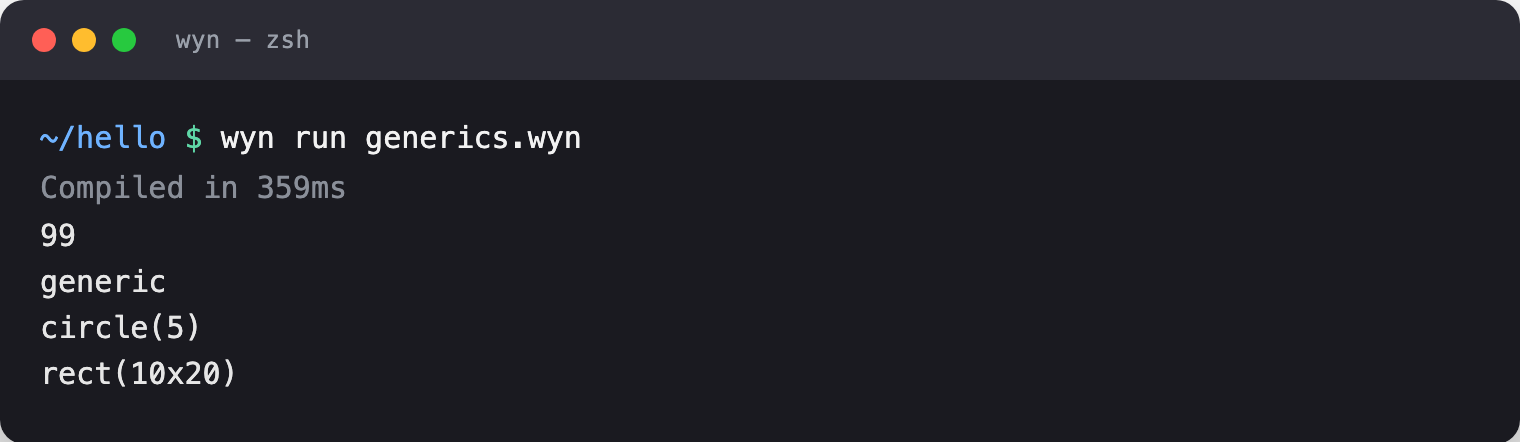
99
generic
circle(5)
rect(10x20)
9. Closures & higher-order functions
Lambdas use the arrow form (params) => expr and capture their environment. Pass them to .map, .filter, and .reduce, or to your own functions typed fn(int) -> int.
fn apply_twice(f: fn(int) -> int, x: int) -> int { return f(f(x)) }

fn main() {
    // Capturing closure
    base = 100
    addbase = (n) => n + base
    print("${addbase(5)}")               // 105

    // Passing a lambda as an argument
    double = (n) => n * 2
    print("${apply_twice(double, 3)}")   // 12

    // Chaining map / filter / reduce
    nums = [1, 2, 3, 4, 5, 6]
    print(nums.filter((n) => n % 2 == 0).map((n) => n * 10))   // [20, 40, 60]
    print(nums.reduce((acc, n) => acc + n, 0))                 // 21
}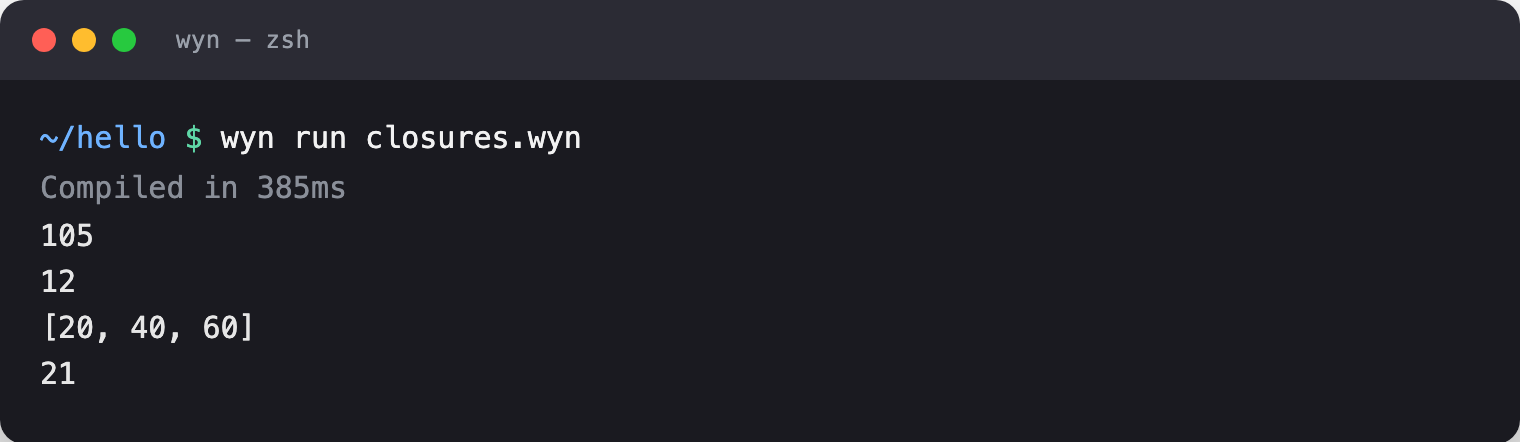
105
12
[20, 40, 60]
21
TIP
In today's compiler, lambdas passed to .map/.filter/.reduce take an int parameter. Keep those pipelines integer-valued - e.g. (n) => n * 2.
10. Concurrency - spawn, await, parallel, channels
This is where Wyn stops feeling like a scripting language. spawn f() starts a task and returns a future; await gets its result; await_all waits on a list; and a parallel { } block runs several spawns and joins at the closing brace.
fn square(n: int) -> int => n * n

fn main() {
    // spawn → future, await → value
    f = spawn square(9)
    print("await: ${await f}")           // 81

    // await_all over a list of futures
    futs = []
    for i in 1..4 { futs.push(spawn square(i)) }
    results = await_all(futs)
    acc = 0
    for _, r in results { acc = acc + r }
    print("await_all sum: ${acc}")       // 1 + 4 + 9 = 14

    // parallel { } runs bound spawns concurrently, joins at }
    parallel {
        a = spawn square(3)
        b = spawn square(4)
    }
    print("parallel: ${a + b}")          // 9 + 16 = 25
}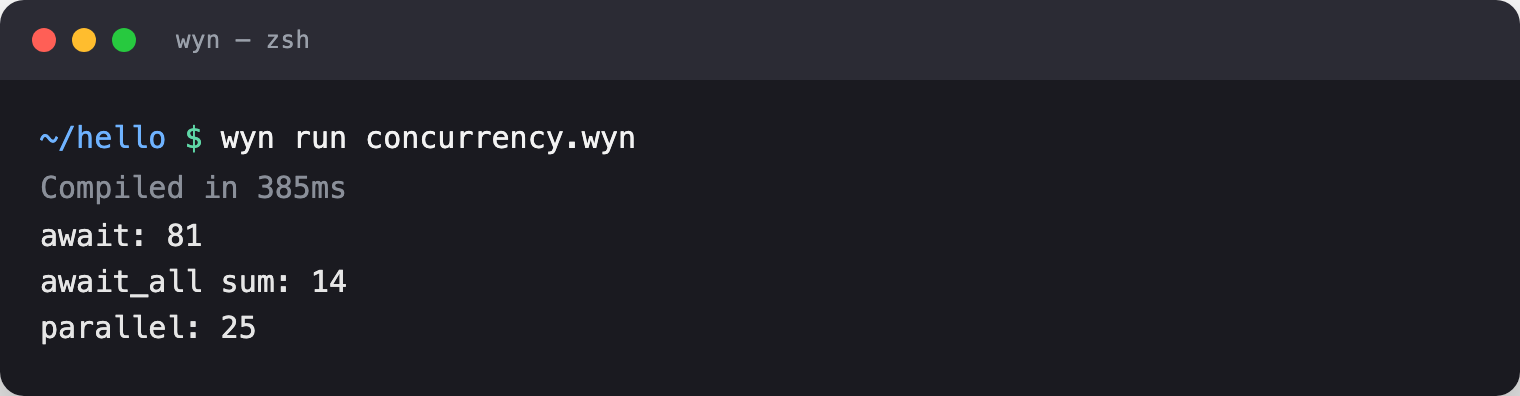
await: 81
await_all sum: 14
parallel: 25
Tasks talk to each other over channels - buffered, FIFO message queues. A classic producer/consumer:
fn producer(ch: int, n: int) -> int {
    for i in 0..n { Task.send(ch, i * i) }
    return 0
}

fn main() {
    ch = Task.channel(10)          // buffered channel, capacity 10
    pf = spawn producer(ch, 5)

    total = 0
    for i in 0..5 { total = total + Task.recv(ch) }
    await pf
    print("channel total: ${total}")  // 0+1+4+9+16 = 30
}
channel total: 3011. Modules & the package manager
A Wyn dependency is just a git repo - there's no central registry and nothing to log into (the Go/Deno model). A bare name resolves to github.com/wynlang/<name>; anything with a / is a full repo path.
wyn add args                       # → github.com/wynlang/args
wyn add github.com/bob/cool-lib    # any repo
wyn add github.com/bob/[email protected]   # pin a tag, branch, or commit
wyn add writes a [dependencies] line into wyn.toml and pins the exact commit in wyn.lock for reproducible builds. Import by the short name and call through its namespace:
import args

fn main() {
    name = args.value("--name")
    print("hello ${name}")
}
(For argument parsing specifically you do not need a package at all - Args.get(name), Args.has(name) and Args.positional() are builtins, and Args.get("name") accepts both --name=World and --name World. The example above is about the package workflow, not about argument parsing.)
Publishing is just as light: push your repo to GitHub and tag a release (git tag v1.0.0 && git push --tags). That's the whole workflow - see Using Packages and Creating Packages.
12. C FFI - the whole C ecosystem, for free
Because Wyn compiles to C, calling C is a one-liner. Declare a function with extern fn (a signature, no body) and call it. The math library links by default:
extern fn sqrt(x: float) -> float;
extern fn pow(base: float, exp: float) -> float;

fn main() {
    print("sqrt(144) = ${sqrt(144.0)}")     // 12.0
    print("pow(2, 10) = ${pow(2.0, 10.0)}") // 1024.0
}
sqrt(144) = 12.0
pow(2, 10) = 1024.0For real libraries, wyn add ships curated C recipes. Adding one runs the C bindgen and writes an [ffi] block into your wyn.toml - no GitHub involved:
wyn add m # libm - the C math library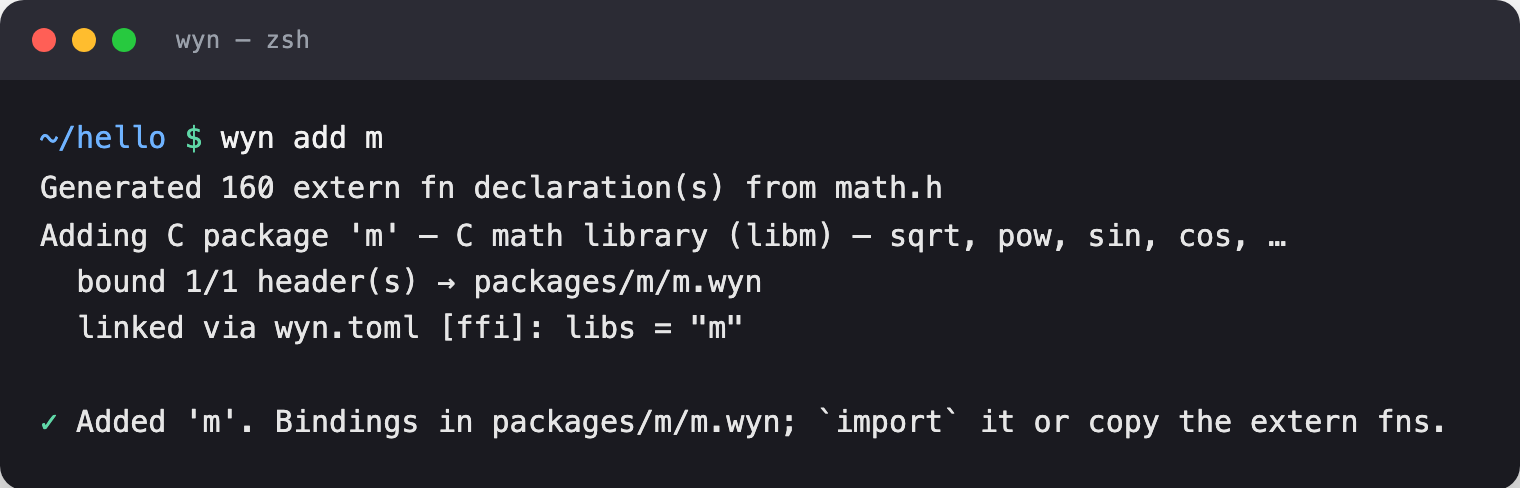
Generated 160 extern fn declaration(s) from math.h
Adding C package 'm' - C math library (libm) - sqrt, pow, sin, cos, …
  bound 1/1 header(s) → packages/m/m.wyn
  linked via wyn.toml [ffi]: libs = "m"

✓ Added 'm'. Bindings in packages/m/m.wyn; `import` it or copy the extern fns.
See the full curated list any time with wyn add --list - it includes m, z (zlib), curl, sqlite3, crypto/ssl (OpenSSL), curses, readline, xml2, lz4, zstd, and jsonc. For anything else, wyn bind <header.h> generates bindings from a C header. Details in C FFI.
13. The toolchain
One binary does it all. The commands you'll use daily:
| Command | What it does |
|---|---|
wyn run app.wyn | Compile and run (fast iteration) |
wyn build app.wyn | Native binary (add --release for -O2) |
wyn check app.wyn | Type-check only, no output binary |
wyn fmt app.wyn | Format in place (--check for CI) |
wyn test | Run tests in tests/ |
wyn bench app.wyn | Benchmark with timing stats |
wyn watch app.wyn | Rebuild on save |
wyn repl | Interactive REPL |
wyn doctor | Diagnose your setup |
Formatting. wyn fmt rewrites messy code to the canonical style (4-space indent, no semicolons):

wyn fmt app.wyn
#   ✓ app.wyn
Building produces a tiny, dependency-free native binary:

wyn build hello.wyn
# ✓ Built: hello (51KB, 356ms)
Benchmarking runs your program many times and reports the distribution:
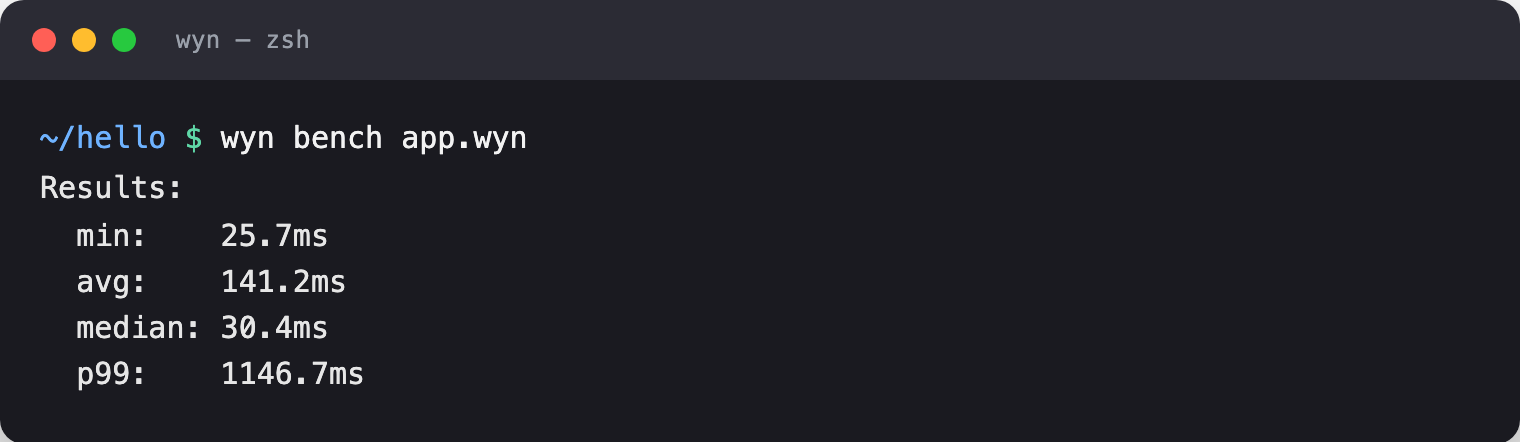
wyn bench app.wyn
# Results:
#   min:    25.7ms
#   avg:    141.2ms
#   median: 30.4ms
#   p99:    1146.7ms
Cross-compiling targets another OS/arch from your machine - no Docker, no VM:
wyn cross linux-arm64 app.wyn
wyn cross windows-x64 app.wyn
Targets include linux-x64, linux-arm64, windows-x64, macos-x64, macos-arm64, ios, and android. WebAssembly is not supported. See Cross-Compilation.
14. Capstone - a concurrent prime counter
Time to build a real thing. This program splits the range [0, 100000) across eight workers, counts primes in each chunk in parallel, folds the results, and reports through a struct method. It uses almost everything from this tour: structs and methods, Result + ?, arrays, clos-over loop variables, spawn + await_all, and string interpolation.
// primes.wyn - a concurrent prime counter.

struct Report {
    limit: int,
    workers: int,
    count: int
    fn show(self) {
        print("Found ${self.count} primes below ${self.limit} using ${self.workers} workers.")
    }
}

fn is_prime(n: int) -> bool {
    if n < 2 { return false }
    i = 2
    while i * i <= n {
        if n % i == 0 { return false }
        i = i + 1
    }
    return true
}

// Count primes in the half-open range [lo, hi).
fn count_primes(lo: int, hi: int) -> int {
    c = 0
    for n in lo..hi {
        if is_prime(n) { c = c + 1 }
    }
    return c
}

fn parse_limit(s: string) -> Result<int, string> {
    if s == "" { return Err("empty limit") }
    return Ok(100000)
}

fn main() {
    limit = parse_limit("100000").unwrap_or(1000)
    workers = 8

    // Split [0, limit) across the workers and count in parallel.
    chunk = limit / workers
    futs = []
    for w in 0..workers {
        lo = w * chunk
        hi = lo + chunk
        futs.push(spawn count_primes(lo, hi))
    }

    results = await_all(futs)
    total = 0
    for _, c in results { total = total + c }

    report = Report { limit: limit, workers: workers, count: total }
    report.show()
}wyn run primes.wyn
Found 9592 primes below 100000 using 8 workers.Then ship it: wyn build --release primes.wyn gives you a single native binary you can copy to any matching machine - no runtime, no interpreter, no dependencies.
Where to go next
- Language reference: Variables · Functions · Control Flow · Structs · Enums · Pattern Matching · Error Handling · Generics · Traits · Closures
- Concurrency: Spawn & Await · Channels
- Go deeper: C FFI · Using Packages · CLI Commands
- Build something: Build a CLI Tool · Build a Web Server · Cookbook
- Coming from another language? From Python · From Go
Or just open the Playground and start typing. Welcome to Wyn.